About Jodi Kaplan

My Google Profile+

Are You Listening to Your Customers?

not listening

A recent survey conducted by Opinion Research Corp (Information Week, 4/15/09) found that 84% of Americans report that online feedback influences their buying decisions. However, only 28% of the survey respondents said they posted their own opinions.

This leads to two conclusions. First, a small minority of people may have an out-sized effect on ratings. And, secondly, if you’re a business, it’s important to monitor what people are saying about you and your products.

Five Ways to Listen Better

1) Develop big ears and start listening.

2) Set up Google Alerts to monitor mentions of your company.

3) Subscribe to blogs in your industry (use Google BlogSearch to find them). Read what the blogs say, and act on it. If the comments tell you something is wrong, fix it.

4) Monitor consumer sites such as Yelp!, The Consumerist, MeasuredUp , or sites in your industry that host reviews. Allow reviews on your own site too.

5) If you see someone with a problem, jump in and participate. Don’t yell and get defensive, try to address and solve the problem. You may not be able to please everyone, but you will be able to demonstrate that you’re truly concerned about your customers’ satisfaction.

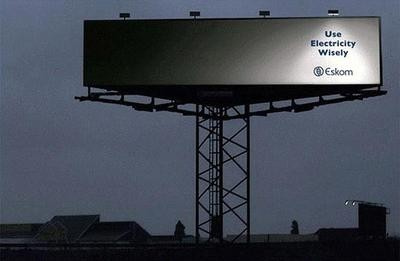
Photo: anderson mancini

Do Your Customers Have to Jump Through Hoops?

flaming hoopSeveral years ago, I called Fidelity to make a transaction on one of my funds. I forgot my password, and after several attempts, the self-help system locked me out. So, I called again, to get a live person. The representative wanted me to confirm my identity by asking when I’d opened the account. I didn’t remember, but looked through my files and found the date. She said, “That’s wrong.” Huh? I had the papers in front of me: the letter from Fidelity, the interest statement attached to my tax return, it was clearly 2 years earlier, how could it be wrong? After 10 minutes of arguing and discussing, it turned out she meant not when I opened that fund account, but the date I opened my first ever account with Fidelity: about 15 years earlier! Who would remember that? Plus, it wasn’t clear that’s what she wanted.

The lesson? Check that your communication is clear. Look at your site, your brochure, your email, and make certain the readers can tell what you’re talking about, and navigate your site to find what they need.

Has anything like this happened to you? Share your stories of miscommunication.

Photo: bitterjug

Are Your Ads in the Right Place?

billboard

Seth Godin’s blog post today tells the story of his cross-country drive from California to Boston to reach a summer job at Spinnaker Software. While passing through Chicago, he saw a large billboard for the company and thought, “Incredible! This little start-up already had billboards across the entire country.”

It turned out they had exactly one billboard, located between the airport and the convention center that housed the Consumer Electronics Show. They put it precisely where buyers flying in for the show would see it.

It worked because it was in the right place, at the right time (before a big electronics show), and was seen by the right people.

Where are you putting your ad? Is it where the right people will see it? Or, where anyone will see it?

Photo: otakuchick

New Ads! Now, Even Bigger and More Annoying!

macys adThe Los Angeles Times reported (April 9, 2009) that the Online Publishers Association has just approved new extra-large Web ads. The association’s numbers show that web surfers are ignoring standard banner ads. So, in an effort to reach more people, they are launching three new larger ad formats: “pushdown” ads, which open to display a bigger ad; a”fixed panel” ads that appear to be part of the Web page, but scroll up and down as the user does; and XXL ads, which have pages that the user can turn.

Traditional advertising is designed to be repetitive, to “annoy” people, and to catch attention. The trouble (if you’re an advertiser) is that people are tuning out traditional advertising.

Looking at the LA Times site right now, there’s an ad for The University of Phoenix (an online university). I have a degree (from a brick and mortar school), so this ad is irrelevant to me. I won’t click on it, no matter how big it is, how much it flashes, or how many times I see it.

Bigger isn’t better. Relevant is better. What does work? Ads that appear when someone is already looking for something. Communications about something related to the content (such as a car ad next to a car review).

Blindly shooting and hoping to hit something won’t work.. no matter how big the ad.

What’s your marketing strategy? Are you targeting carefully? Or spraying and praying?

Photo: cogdogblog

7 Step E-Commerce Web Site Checklist

checklist

Photo: myuibe

These seven e-commerce marketing tips will help you increase your web site sales (and they won’t break your budget either).

1) Build informational content (as well as sales content) into your site.

Teach people how to use your product, care for their purchase, or give tips (software shortcuts, decorating ideas, foods best for your pet by age, etc.).

2) Make the site easy to navigate and buy from.

Don’t hide the products. Show two or three on the front page, with clear links to find more. If the site is hard to use, or visitors can’t find what they want, they will leave without buying anything.

3) Customize sections of your site to fit different segments of your audience.

A pet food site could break down sections by dogs, cats, parakeets, and then by specific products for larger dogs, overweight dogs, special types of diet, etc.

4) Use big, noticeable buttons.

Make it obvious that you want people to do something and how to do it. Use language such as “buy now” or “sign up here.” Ask for the order! It’s also important to make sure your buttons look like buttons; in other words something that should be clicked.

5) Add customer reviews or testimonials.

They give clear evidence that others have bought (and benefited from) your products. This also increases involvement. Your visitors will feel more connected to your products. If you can, start a forum and let your customers talk directly to each other and share experiences.

6) Check your site design in different browsers.

Images or design elements (bars, boxes, page breaks) may display differently depending on the combination of browser and operating system that your visitors are using. Test your site for free at browsershots.org

7) Build a landing page or a specific product page based on their keyword searches.

Don’t use your home page for this. Instead develop different campaigns to attract different segments of your customers. If you sell home decorating supplies, you might create a campaign and build a landing page  for window treatments, another for paint, and a third for carpets and flooring.

More tips on how to get more clicks without spending a cent