
About Jodi Kaplan

My Google Profile+

Is Your Web Site User-Friendly or User-Hostile?

no-no
My dad was trying to reserve a book online the other day. He hit submit on the county library web site and kept getting an error message. Then he did it again, same problem. Finally he looked more closely and saw that underneath the submit button were two check boxes that said, “Select library set”.

After some more puzzling, he realized that the library system is divided into two parts, one with about 5 branches, and then 33 other branches in the other set (no idea why). If you want a book, you have to specify which group to order it from!

Now, dad is an experienced software systems guru (and the former CEO of a small software firm). It took him 15 minutes to figure out how to reserve a book. What chance does an ordinary, non-technical person have with a system like that?

And why should a library patron know (or care) which branch the book comes from, or that there are two sets of libraries? If I want a book, I just want the book (as quickly as possible).

If there’s some reason for the division, why not say so, and in a way that makes sense to the user?

To paraphrase a recent article in MacWorld (June 9, 2009), bad sites are produced by people who know how to write code to make a computer do something, but have no idea how regular people behave and how those people expect to interact with that site.

As MacWorld said, “It really doesn’t matter if it’s a microprocessor or a system of tiny pulleys hauled by gnomes that’s inside that shiny glass and plastic product. It just needs to work the way they want it to.”

Look at your site through your customers’ eyes. Is it intuitive? Do visitors have to sit through a Flash presentation in order to get to the “meat” of your site? Is it easy to find your products and services?

Does your blog require a login in order to comment? Are you helping your customers use your products? Or frustrating them?

What about navigation? Do visitors visit one or two pages and then leave?

A site, or a product, that’s easy to use will encourage more people to use it (and interact with it). If it’s too hard, people will go elsewhere to find what they want.

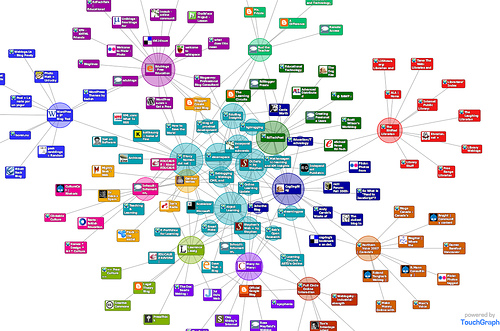
Photo:keees

What Did You Want to Sell Me?

David Meerman Scott pointed out this video:

Before you start selling, you’ve got to build up credibility. You’ve got to answer the questions swirling around in your prospect’s mind:

Who are you?
Why should I believe you?
What are you giving me?
Why should I care?

If you want to break into a new market or start selling new products, you’ll have to establish trust first. Emailing people you don’t know, or producing four-color media kits (printed or electronic) won’t get you in the door. Neither will spewing way too much information about your eating habits on Twitter. Don’t assume everyone (the press, the public, your potential customers) are sitting around waiting anxiously for your call. They don’t want “you”, what they do want is a relationship with someone they trust to solve their problems.

What’s Your Secret Identity?

Do you have a secret identity? You may think your business is straightforward: you may appear to be a mild-mannered animator, but what you’re really selling is memories, laughter, and happiness.

What are you really selling?

Kodak used to sell film and slide carousels – but they were really in the business of selling memories and nostalgia.

The average auto body shop looks like they’re in the car repair business, but they’re not really selling mufflers and tires, they’re selling peace of mind.

Water filter companies think they sell filters and pumps (it’s really safety).

Graphic designers think their business is colors and images (it’s really sales).

Are exhibit designers in the building and design business? No, they’re in the sales business too – to attract more customers, visitors, and attention at trade shows. They’re selling, buzz, excitement, and pizazz.

Video producers sell engagement and attention (not words and pictures).

What business are you really in?

Photo:chanchan222

Blog Post Emails: Now with Titles

Darren Rowse kvetched, everybody wins. About a month ago, Darren (of ProBlogger, which I highly recommend you read to learn how to be a better blogger), suggested that it would be great if the posts that blog subscribers get via email included the title of the post, instead of just the name of the blog.

Well, apparently, Google/Feedburner listened. So, instead of just seeing “Fix Your Broken Marketing” the email subject line should include the title too; in this case “Emails: Now with Titles: Fix Your Broken Marketing”. This will give you a better idea of what’s in the email, and help you search through your saved emails to find a particular topic.

I also discovered that I can adjust the time of day that posts are delivered. From now on, they should be sent earlier in the morning (instead of late at night, which was the default).

Let me know if this works!

5 Benefits of Building an Online Community

online community mapRemember yesterday’s post about the worst marketing email ever? The marketer who framed his pitch in terms of what he’d get (a great vacation) and offered his customers a measly $25 gift card in return for their referrals?

What if he’d built a community instead? According to Marketing Sherpa (7/2/09), creating a place where your customers can interact with each other (as well as with you) can have unexpected benefits.

Benefit #1: Better Customer Support

Depending on your business, you can offer additional documentation, a Q&A forum, or tips on how to use your product. Imagine a design studio that explained ways to save money on logo design costs, or a videographer who offered a checklist of the top ten questions you should ask before you hire her (or anyone else).

Benefit #2: Advance Community Input on New Products

The ability to ask community members to review early-stage new products, essentially building your own set of beta testers. You can match features with needs, and steer clear of offerings that nobody wants.

Benefit #3: Encourage Contributions

Allowing members to share how they use your product. Let members post their own questions (and answer them). You can also step in and offer helpful advice (skip the sales pitch, just solve problems).

Benefit #4: Look Good to Search Engines

Regular updates boost your site’s search engine ranking, and generate keyword-rich content.

Benefit #5: Fill the Sales Pipeline

The interaction allows prospects to learn more about your company and your products in a friendly environment. This will boost trust, increase your credibility, and generate leads.

Build the relationship first, then you can ask for the sale.